WEEK 3: Object Behavior Modification and Adding Motives
INCORPORATING OUR NEW SOUND AND ANIMATION (continued)
We'll first add the sound. Select Line 1, which is currently calling to play
sound id 4. Over to the right in our wonderful Data box, we're going to get rid
of the number 4 in Parameter 1 and in its place, we'll insert the number of our
new sound ID, which is 6. Change your Data box accordingly.
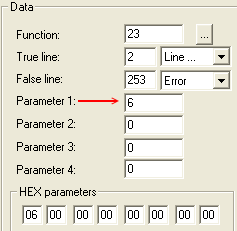
Fig. 1.55
OK, next we'll modify the animation call, but this is slightly complicated.
Look at Line 2:

Fig. 1.56
This line says "Animate Sim (id 48 from misc). The "misc"
part means that the animation will be called from the global
animation file instead of from the object itself. We don't want this. We put the
animation reference directly into our object, so we need to make the line read
accordingly. We want it to say "from object".
With Line 2 selected, go over to the Data box, and change the number in Parameter
1 to a 9 (the number of our animation).
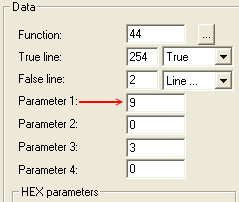
Fig. 1.57
Continued on Next Page . . .
|