WEEK 3: Object Behavior Modification and Adding Motives
Working With Sounds and Animations (continued)
When done, your child animation screen should look like mine:
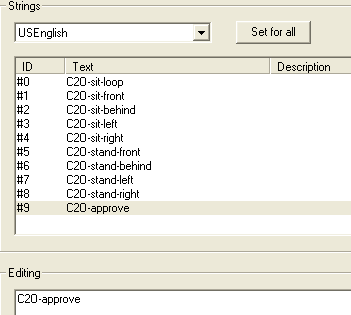
Fig. 1.47
We are done adding new animations to our chair, but before we
leave the area... don't forget to write down the ID number for our new animations.
In your notebook, write:
Animations Approve = id9
ADDING NEW SOUNDS
Click OK to exit the Strings editing window. Find the FWAV section
and select it.
Sounds are added in a slightly different way. Or rather "referenced"
differently. We are not adding actual sounds. We are merely referencing the sound
name so that the game can find it and use it.
Right click anywhere on the white space of the right-hand side
panel and select "Add" from the menu.
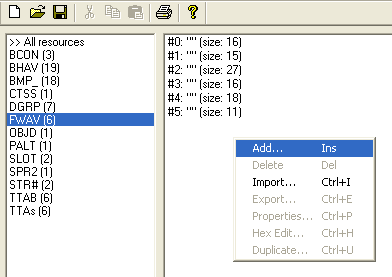
Fig. 1.48
Continued on Next Page . . .
|