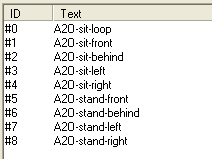
WEEK 3: Object Behavior Modification and Adding MotivesWorking With Sounds and Animations (continued)Your String editor window will open with 9 animations showing (ID #0 through #8) looking like this:
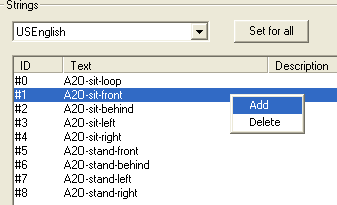
We cannot delete any of these because the chair needs them to instruct the Sims on how to approach it for sitting, leaving it, etc. Therefore, we need to add a line (or an ID) for our particular "approve" animation. Right click anywhere on the white space, and select "Add" from the menu.
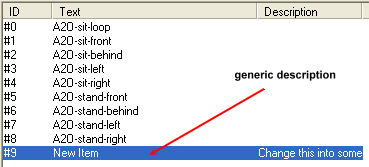
A new ID line will be added to your screen:
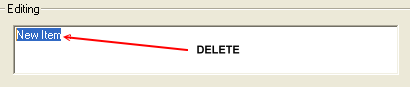
Directly beneath you will find the "Editing" box. Delete the words found there.
|