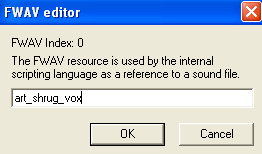
WEEK 3: Object Behavior Modification and Adding MotivesWORKING WITH SOUNDS AND ANIMATIONS (continued)I want you to see what each one is. If you double click on the first one, #0, you get a box that looks like this:
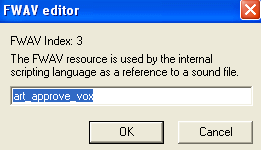
Obviously, this is the sound that goes with the animations Sims use when they are indifferent to an object. Notice that the animation name contains the word "art" at the front. There are different shrug animations for different types of object reactions. This one is associated with art objects. Click OK to close the editor window. Double click each of the others to see what they are. On your own, try to determine which one we are going to use. If you decided on #3, you are correct. We will be using "art_approve_vox".
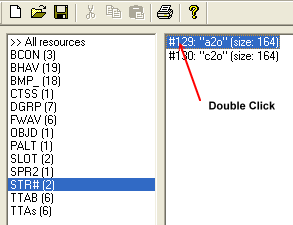
Write the name of the sound file in your notebook: art_approve_vox Click OK to close down any open windows, and then close down IFF. Open up Tmog, and since there is no reason to keep the cloned painting you created, delete it. When done, close Tmog. Open IFF once again, and this time, bring in the Cheap Chair. Click the STR# section and then double click the "a2o" string to open it.
|