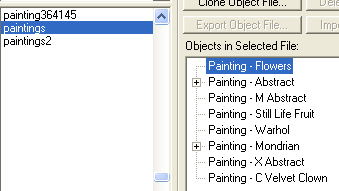
WEEK 3: Object Behavior Modification and Adding MotivesFinding The Right PaintingClose out of any program you might have open (it's always good to conserve resources), and then open up Tmog. Scroll down until you see "Paintings" and then look to the right. There are several there, and unfortunately, you can't tell which have the "react" behavior from Tmog, so unless you know, trial and error is the way to go. Let's select the first painting in the group: "Painting - Flowers".
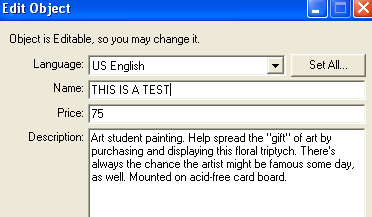
Clone it, and name it anything you like. I'm naming mine "PaintingTest1.iff". After you clone it, don't forget to go into the edit window and do something like the image below so you won't confuse this clone with your other files. You won't be keeping it.
Remember that Tmog will place your cloned painting into the "Transmogrified" folder, which is located inside your Downloads folder. Close Tmog, open IFF and open your newly cloned painting. Select the BHAV section and take a look at the behaviors on the right side. See anything pertaining to "react" in there? No? Darn! Let's try another one, shall we? Close IFF, and open Tmog again. Find your cloned flowers painting and delete it right now, if you don't you may forget to do so later. I always forget unless I take care of it right away, because I'm absent-minded that way.
|