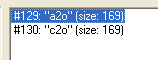
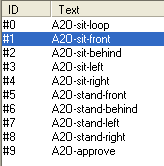
WEEK 4: Adding New Behaviors and Menu OptionsA NEW WAY OF ADDING MOODS (continued)Click "OK" to get out of the Behavior, and let's go over to the STR# section. Double click #129: "a2o" to see what our id 1 means.
Looking at ID 1 tells us the Line of code over in the BHAV section is telling the Sim to sit, entering the chair from the front, in accordance with the previous line of code (entry flags). So this tells us the Sim isn't yet sitting. Not a good point to add bladder, is it?
Very well, then. Click "OK" to get out of the window, and let's go back to BHAV, #4099, to continue following our trail. We were about to check out Line 11. Find it, and let's take a look.
Starting with Line 11: The line says to reset the animation. We can only assume that the Sim is sitting at this point (resetting "sit"), and then jumps to Line 12. Line 12: Snap is a funny command. Have you ever watched a Sim sitting in a chair, and then he makes a move as if to get up, but then appears to think twice about it and settles back into the chair? That's a snap. A snap is also when the Sim leaves the comfort of the chair. He snaps out of the animation for sit.Snap can be used in many ways. Line 12 jumps to Line 13. Line 13: The Break Point. Meaning: That's it, end of routine. See how the Line ends in True/Error?
|