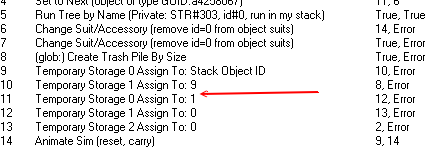
WEEK 4: Adding New Behaviors and Menu OptionsTemporary Storage: This is a very useful variable. It's availble to all BHAVs in the object, and even to other objects. The only drawback is that once you exit the game, all data stored in a Temporary Storage container disappears and the original values are returned. A good example is when a Sim picks up something to carry — like a plate to the dishwasher. There are no header boxes to update, so you need to make sure you keep track of what variable is stored in which Temporary Storage area.
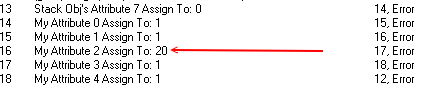
Attributes: Unlike Temporary Storage above, where the information stored is deleted upon exiting the game, the values stored in Attributes will remain. Any information you need saved with the game (which channel the television is on, the book a Sim is reading, a purchase made on a community lot, etc) would be stored in Attributes. Each attribute stores one numerical value, and the value can represent just about anything. An example is when you go into a Community Lot to purchase something... say, a dog collar. You walk up to the collar stand and you "Buy a blue dog collar". The attribute was set by Maxis to 1. But you could easily go in and fix it so a player can buy more than one item at a time.
ParametersParameters: Parameters are not variables. They are bits of information used to tell the object how to behave. You've seen them often enough. When you look at the Data Box for a statement within a behavior, the numbers in the boxes Parameters 1 through 4, thats bits of information being passed as parameters/boundaries. |