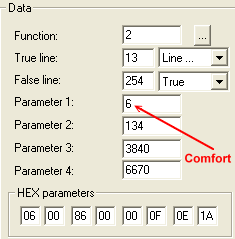
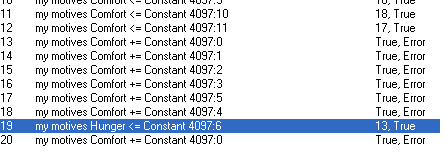
WEEK 3: Object Behavior Modification and Adding MotivesADDING MOTIVES (continued)Select Line 19, and look to the right at the Data box. Notice that in Parameter 1, there is a 6 in there for comfort. We want hunger.
At this point you can pull out your notebook to look up the code for hunger, but in case you don't have it handy, the code is 7. Code 7 for hunger. Change the 6 to a 7. Notice how Line 19 now reads for hunger?
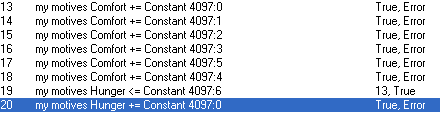
Let's change Line 20 accordingly. Select Line 20, and over in the Data box, change the number 6 in Parameter 1 to a number 7 for hunger, so that your lines 19 and 20 now read like this:
|