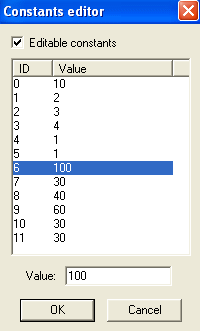
WEEK 2: Enhancing MoodsIMPROVING THE CHEAP CHAIR'S COMFORT (continued)Make sure there is a check mark beside "Editable constants". If there isn't one, check it. Look at ID 0 and ID 6 (from 4097:0 and 4097:6). This chair will only allow your comfort level to climb to 20, and if that isn't bad enough, it is only going to rise at the rate of ONE tick per hour. Darn cheap chair! Let's fix it, shall we? Select ID 6 and in the Value box, change that 20 to a 100. Then, select ID 0 and change the 1 in the Value box to a faster 10. Does your Editor window look like this?
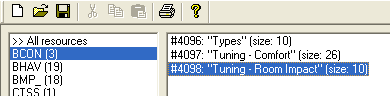
Click "OK" when done. Since we're already in the BCON area, we might as well change the Room Impact of the chair. IMPROVING THE ROOM IMPACT We are still inside the BCON area. Double click #4098: "Tuning - Room Impact" to open it, and let's have a look.
|